
Security
Microsoft Feb 2026 Patch Tuesday: 6 Exploited Zero‑Days — Patch Triage for the First 72 Hours
February’s Patch Tuesday is unusually urgent: Microsoft fixed six zero‑days being exploited in the wild. Here’s a practical, low-drama plan to patch fast without breaking production.
When Patch Tuesday is “routine”, you can afford a normal change window.
When Patch Tuesday includes six zero‑days exploited in the wild, your patch plan becomes an operational race: reduce exposure fast, while keeping outages and user disruption under control.
Executive summary
- Treat this as an active-exploit sprint: shorten the time between testing and rollout—especially for user‑click vectors and privilege‑escalation chains.
- Prioritize what attackers actually chain: “one‑click” bypasses + local EoP often become full device takeover when combined.
- Patch with rings + verification: speed comes from controlled rollout and strong post‑patch validation, not blind mass updates.
What changed
Microsoft’s February 2026 security updates include six zero‑day vulnerabilities reported as exploited in the wild (and multiple items described as publicly disclosed).
Several of the highlighted issues are in familiar, high-impact areas:
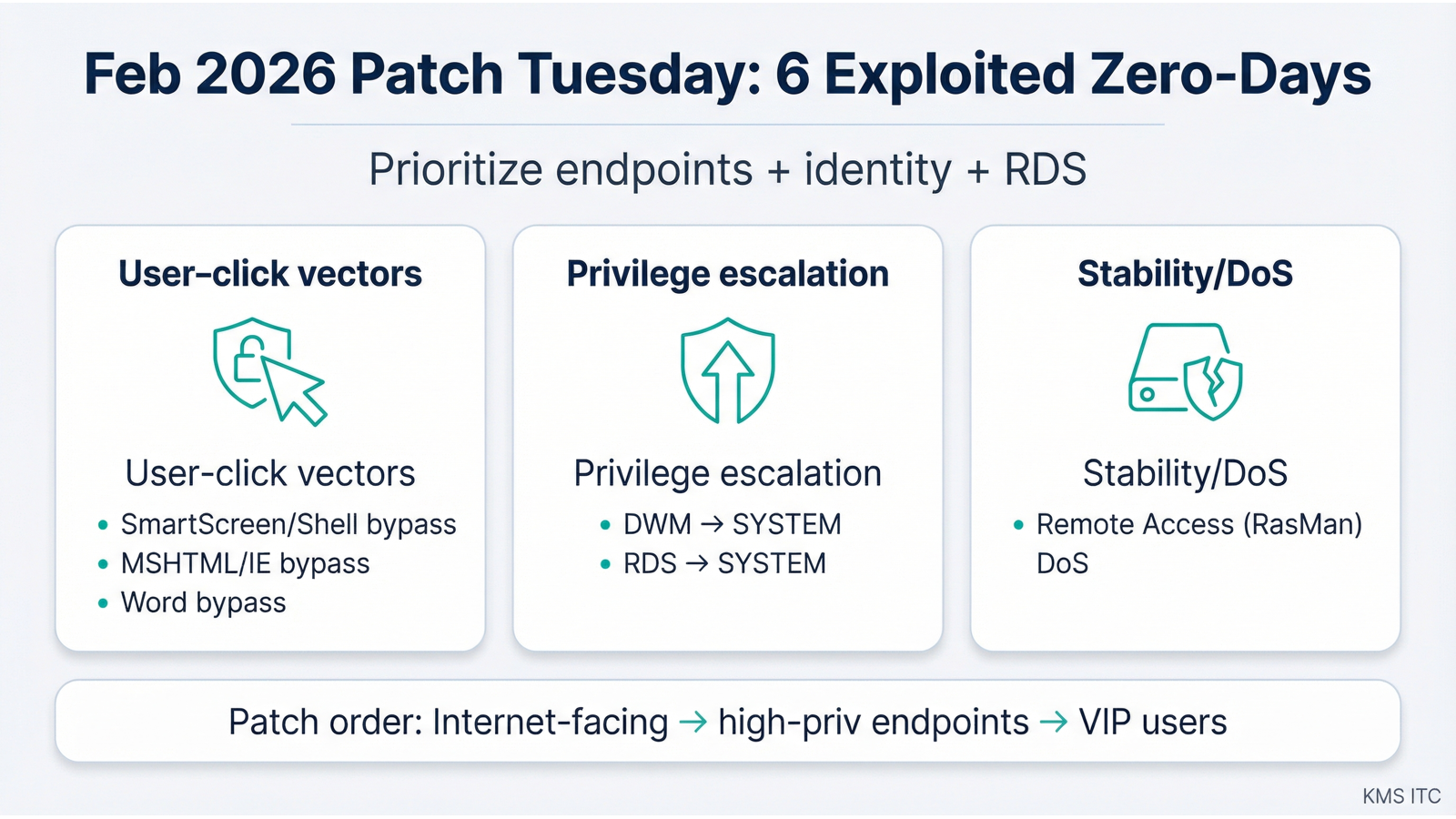
- Security feature bypass / user‑click vectors (e.g., Windows Shell/SmartScreen-style warnings, MSHTML/IE reachability, Office document protections)
- Local elevation of privilege to SYSTEM (e.g., Desktop Window Manager and Remote Desktop Services)
- Operational impact (a DoS issue in Remote Access Connection Manager / RasMan)
In other words: the patch set doesn’t just close theoretical holes—it closes real attacker workflows.
Why it matters
1) “Bypass” vulnerabilities still lead to breaches. Security prompts (SmartScreen, warnings, protected views) are speed bumps. If attackers can reliably bypass them, phishing becomes “one click to code execution” rather than “one click to a warning dialog”.
2) Local EoP is how endpoint compromises become full takeovers. Many campaigns don’t need remote admin exploits if they can:
- land code execution via a document/link, then
- elevate to SYSTEM, then
- disable defenses / dump credentials / pivot laterally.
3) Patch urgency changes the change-management math. The tradeoff isn’t “patch vs stability” anymore—it’s stability vs ongoing exploitation. The goal is to ship patches quickly with guardrails.
What to do (checklist)
Use this as a “first 72 hours” playbook.
0–6 hours: scope and prioritize
- Identify affected populations: Windows endpoints, RDS/servers, Office installs.
- Pull a list of: internet‑facing systems, admin workstations, VIP users, and shared jump boxes.
- Decide your patch rings (example): IT pilot → power users → general fleet → servers.
6–24 hours: deploy the “highest leverage” fixes first
- Patch VIP users + admin workstations first (high value, often highest permissions).
- Patch RDS hosts / systems running Remote Desktop Services promptly (lateral movement targets).
- For user‑click vectors: pair patching with temporary friction controls (below).
24–72 hours: broaden rollout + add safety rails
- Roll out broadly with maintenance windows and clear reboot expectations.
- Validate post‑patch health: EDR status, patch compliance, login/SSO functionality, RDS connectivity.
- Tighten controls that reduce “one click” success:
- Block or heavily restrict .lnk / shortcut files from email and web downloads where practical.
- Review Mark-of-the-Web (MOTW) handling in your environment.
- Ensure Office macro and protected view policies are aligned with your risk tolerance.
Risks / tradeoffs
- Fast patching can break business apps (especially legacy endpoints, drivers, and remote access tooling).
- Mitigation: a small pilot ring and a quick rollback plan.
- User‑click mitigations can frustrate users (blocking attachments, adding prompts, tightening download rules).
- Mitigation: time-box the restrictions to the exploit window; communicate the “why”.
- Reboots are the hidden schedule killer.
- Mitigation: message reboot requirements early, and measure compliance (don’t assume).
Sources
- Microsoft Security Response Center (MSRC) — February 2026 release notes
- Tenable — Microsoft’s February 2026 Patch Tuesday addresses 54 CVEs (includes six exploited zero-days)
- Qualys — Microsoft Patch Tuesday, February 2026 security update review
- Zero Day Initiative — The February 2026 security update review