
AI Tooling
Trae vs OpenCode: Two Very Different Ways to Use AI for Coding
Trae brings AI into an IDE-style workflow; OpenCode brings an agent into your terminal. Here’s how they differ, what each is good at, and how to choose.
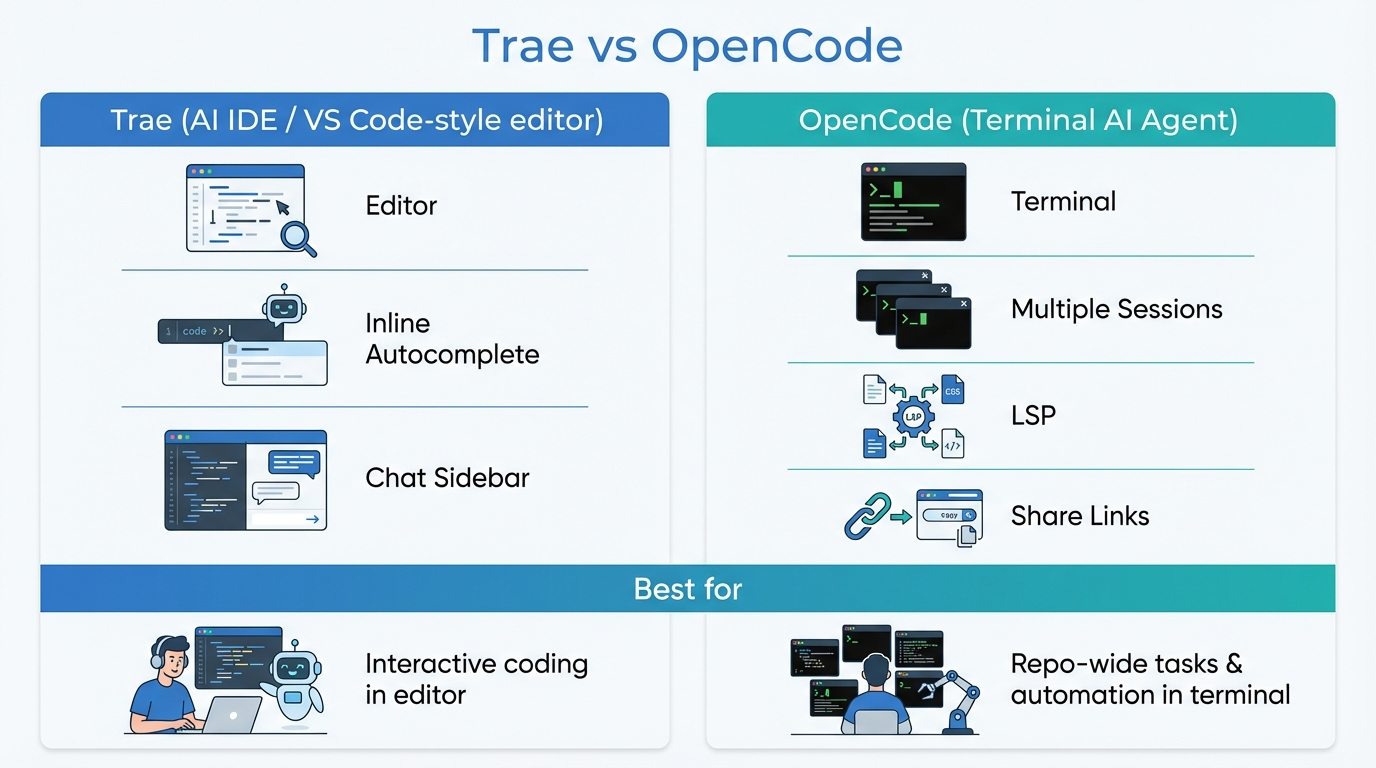
AI coding tools are quickly splitting into two camps:
- AI inside an editor (fast interactive iteration)
- AI as an agent in the terminal (repo-wide tasks, automation, parallel sessions)
Two examples that make this contrast very obvious are Trae and OpenCode.
| Trae | OpenCode | |
|---|---|---|
| Primary interface | IDE (VS Code-style editor) | Terminal (TUI) |
| Interaction model | You drive; AI assists inline | You delegate; agent executes and returns diffs |
| Best for | Active coding, tight edit/run/adjust loops | Repo-wide tasks, refactors, parallel agent sessions |
| Model choice | Managed / integrated | Open choice of providers |
| Collaboration | Local editor | Shareable session links |
What Trae is (IDE-first)
Trae positions itself as an AI engineer inside an IDE-style workflow. In practice, think:
- a VS Code-like editor experience
- chat + code generation living next to your files
- great for tight feedback loops: edit → run → adjust → repeat
If you spend most of your day inside the editor, this style tends to feel natural.
What OpenCode is (terminal-first agent)
OpenCode is an AI coding agent built for the terminal, with an interface that stays close to day-to-day engineering workflows.
Highlights (from its public product description):
- a responsive, themeable terminal UI
- LSP auto-loading for context-aware coding
- multiple agent sessions in parallel on the same project
- shareable links for collaboration/debugging
- freedom to choose models/providers
This is a strong fit when you want the assistant to operate across a repo and you prefer “commands + diffs + review” over a heavy IDE UI.
The real difference: interaction model
Trae: you drive, AI assists
Best when you:
- are actively writing code and want suggestions/refactors inline
- want a polished IDE experience
- work on features where you’re constantly editing and re-running locally
OpenCode: you delegate, then review
Best when you:
- want to offload repo-wide tasks (refactors, migrations, documentation updates)
- benefit from parallel sessions (one agent explores, one implements, one writes tests)
- prefer terminal tooling and explicit change review
Choosing quickly (a practical rule)
If you want a simple rule:
- Editor is home → start with Trae
- Terminal is home → start with OpenCode
Then refine based on the workflow you actually need:
- Need parallel agents or a terminal-native agent loop → OpenCode
- Need a polished editor UX for interactive coding → Trae
A note on “production readiness”
No matter which tool you choose, the same practices matter if you’re using AI for real delivery:
- keep changes reviewable (diffs, PRs)
- run tests/linting
- avoid leaking secrets into prompts
- be explicit about scope: what files can the agent touch?
Where this fits with OpenClaw (my take)
I’m interested in this space because it’s the same idea behind OpenClaw: turn prompts into actions, with guardrails.
Editor-first tools and terminal-first agents are both useful. The long-term winners will be the ones that:
- integrate cleanly with SDLC (branches, PRs, tests)
- support repeatable workflows (templates, playbooks)
- stay secure by default
If you want, I can write a follow-up post showing a simple workflow that chains:
- coding agent output → PR review checklist → scheduled follow-up reminders